User Login
Authenticate to CoconutDB using either email/password or Single Sign-On (SSO).
Overview
Users can authenticate to CoconutDB using either email/password or Single Sign-On (SSO).
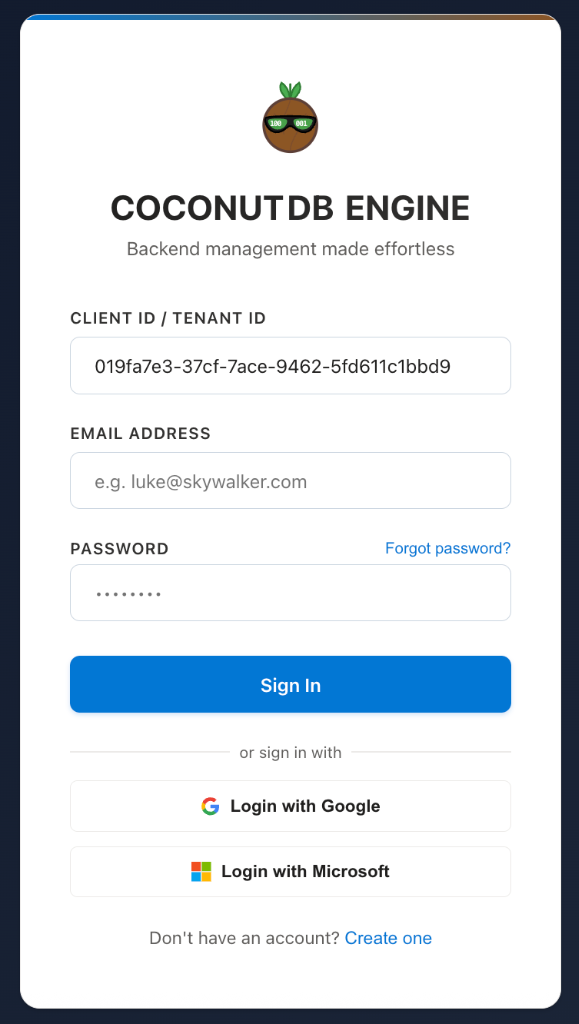
Login with Email
To sign in using standard authentication, users must provide:
- Client ID (Tenant ID)
- Email Address
- Password
The Client ID identifies the tenant the user belongs to and ensures authentication is performed against the correct CoconutDB environment. If you are building your own application or framework on top of CoconutDB, the Client ID can be stored in your application's configuration (for example, in the .env file). This allows users to log in using only their email address and password, while the application automatically supplies the Client ID.
Login with Single Sign-On (SSO)
If the Tenant Administrator has enabled Single Sign-On, users can authenticate using:
- Microsoft Azure Active Directory (Microsoft Entra ID)
When signing in with SSO, users are redirected to their organization's identity provider to complete authentication. No separate CoconutDB password is required, providing a seamless and secure login experience.
SSO Availability Note
SSO login options are available only if they have been configured and enabled by the Tenant Administrator. Otherwise, users can sign in using their email address and password.