Workspace Overview
Learn how workspaces group tables, document vaults, API explorers, and custom site configurations.
Workspace Overview
A Workspace is an isolated environment within your CoconutDB tenant that provides a dedicated space for managing application data, users, configuration, APIs, and documents.
Each workspace operates independently, allowing organizations to separate applications, projects, business units, or deployment environments while maintaining centralized administration at the tenant level.
Workspaces help teams organize development activities, manage access permissions, and safely deploy applications without impacting other environments.
Typical workspace environments include:
- Development
- Quality Assurance (QA)
- User Acceptance Testing (UAT)
- Production
Each workspace maintains its own:
- Database Tables
- Documents
- Users & Permissions
- Site Workflows
- Row-Level Security Policies
- API Keys
- Webhooks
- SMTP Configuration
- Push Notifications
- Audit Logs
This isolation ensures that changes made within one workspace do not affect any other workspace in the tenant.
Why Use Workspaces?
As applications grow, development teams require separate environments to safely develop, test, and release new features.
Workspaces provide logical isolation that allows multiple teams to work independently while remaining within the same CoconutDB tenant.
Common use cases include:
- Separating Development, QA, UAT, and Production environments.
- Managing multiple client projects within a single tenant.
- Organizing applications by department or business unit.
- Restricting access to sensitive production data.
- Allowing teams to develop and test features without impacting live applications.
Workspace Isolation
Each workspace is completely independent from other workspaces.
The following resources are isolated within every workspace:
| Resource | Isolation |
|---|---|
| Database Tables | Independent |
| Application Data | Independent |
| Documents | Independent |
| User Access | Independent |
| Site Workflows | Independent |
| API Keys | Independent |
| SMTP Configuration | Independent |
| Push Notifications | Independent |
| Audit Logs | Independent |
| Row-Level Security Policies | Independent |
Because of this isolation, administrators can safely configure, test, and manage one workspace without affecting another.
Creating a Workspace
To create a new workspace:
- Navigate to Workspaces from the Global Portal.
- Click Create Workspace.
- Enter a unique workspace name.
- Provide an optional description.
- Click Create Workspace.
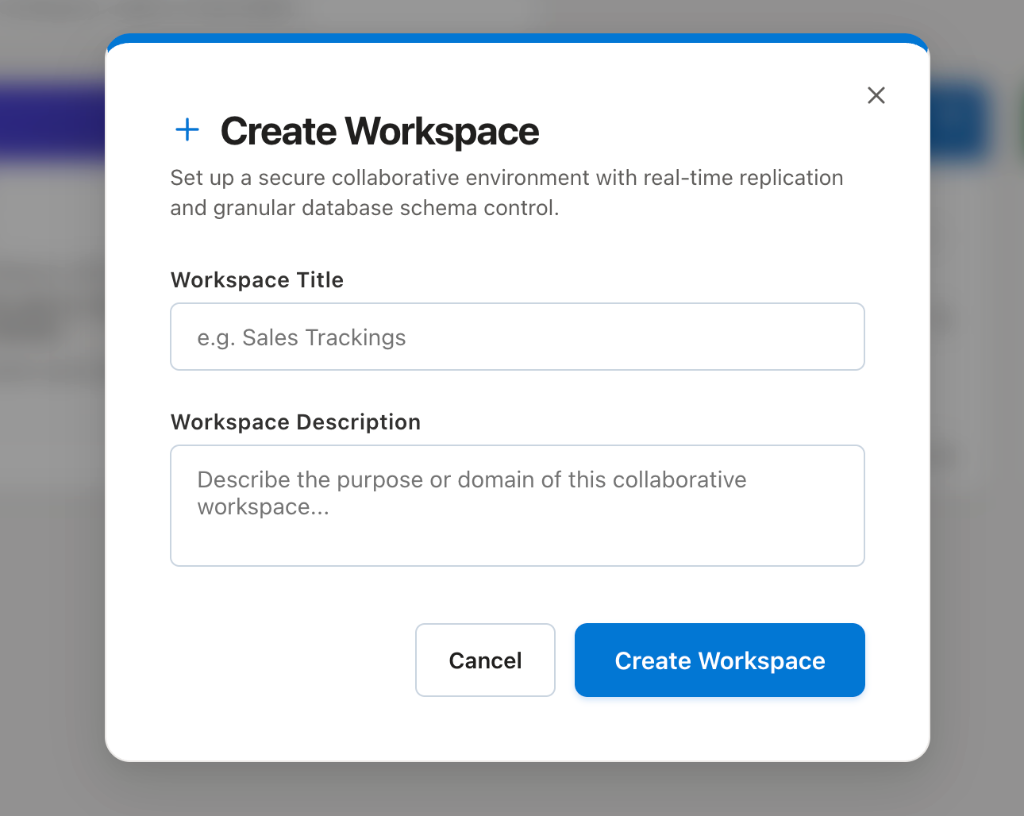
Once created, CoconutDB automatically opens the newly created workspace.
Browser Notifications
When prompted, allow browser notifications to enable real-time platform alerts.